API REST & RedisREST API & Redis
Resumen
Proyecto personal de backend de punta a punta: migrar un dataset de 20,238 registros a Azure SQL con un pipeline ETL, exponerlo mediante una API REST segura con FastAPI, medir su rendimiento con telemetría y acelerarlo con una caché Redis que se invalida automáticamente. Termina desplegado como contenedor en Azure.
Logros clave
- Pipeline ETL con Azure Data Factory desde un CSV hacia Azure SQL Database (20,238 registros, 6 columnas seleccionadas).
- Autenticación y autorización con Firebase y JWT con tiempo de vida; la creación de registros está restringida a usuarios administradores.
- Caché Redis con invalidación automática: sin caché las respuestas promediaban unos 18 segundos; con datos en caché las consultas bajaron a entre 1.5 y 2.6 segundos en desarrollo, y a 1.24 s y 878 ms en el despliegue en Azure.
- Telemetría con Application Insights (OpenTelemetry) para medir tiempos de respuesta, peticiones, fallos y disponibilidad.
- Contenedorización con Docker, imagen publicada en Azure Container Registry y ejecutada en una Web App de Azure.
Stack
Azure (Data Factory, SQL Database, Cache for Redis, Container Registry, App Service, Application Insights), Terraform, FastAPI, Python, Redis, Firebase, Docker.
Creación de un Pipeline de Datos y API con Caché Inteligente
Objetivo General del Proyecto
Desarrollar una solución integral de backend que demuestre la capacidad de migrar datos a gran escala, exponerlos a través de una API segura y optimizada, y desplegarla en un entorno de nube productivo. El proyecto culmina con la implementación de un sistema de monitoreo y una estrategia de caché con invalidación automática.
Fase 1: Preparación y Migración de Datos
Selección del Dataset
- Se eligió un Dataset en Kaggle sobre Animes, con exactamente 20,238 registros.
- El Dataset consta de 12 columnas, se han elegido 6 columnas con la información más relevante: title, type, year, score, episodes, genres.
Migración de Datos con Azure Data Factory
- Se ha usado el servicio Azure Data Factory como Orquestador para realizar un proceso ETL que extrae columnas de datos de un .csv hacia una base de datos Azure SQL.
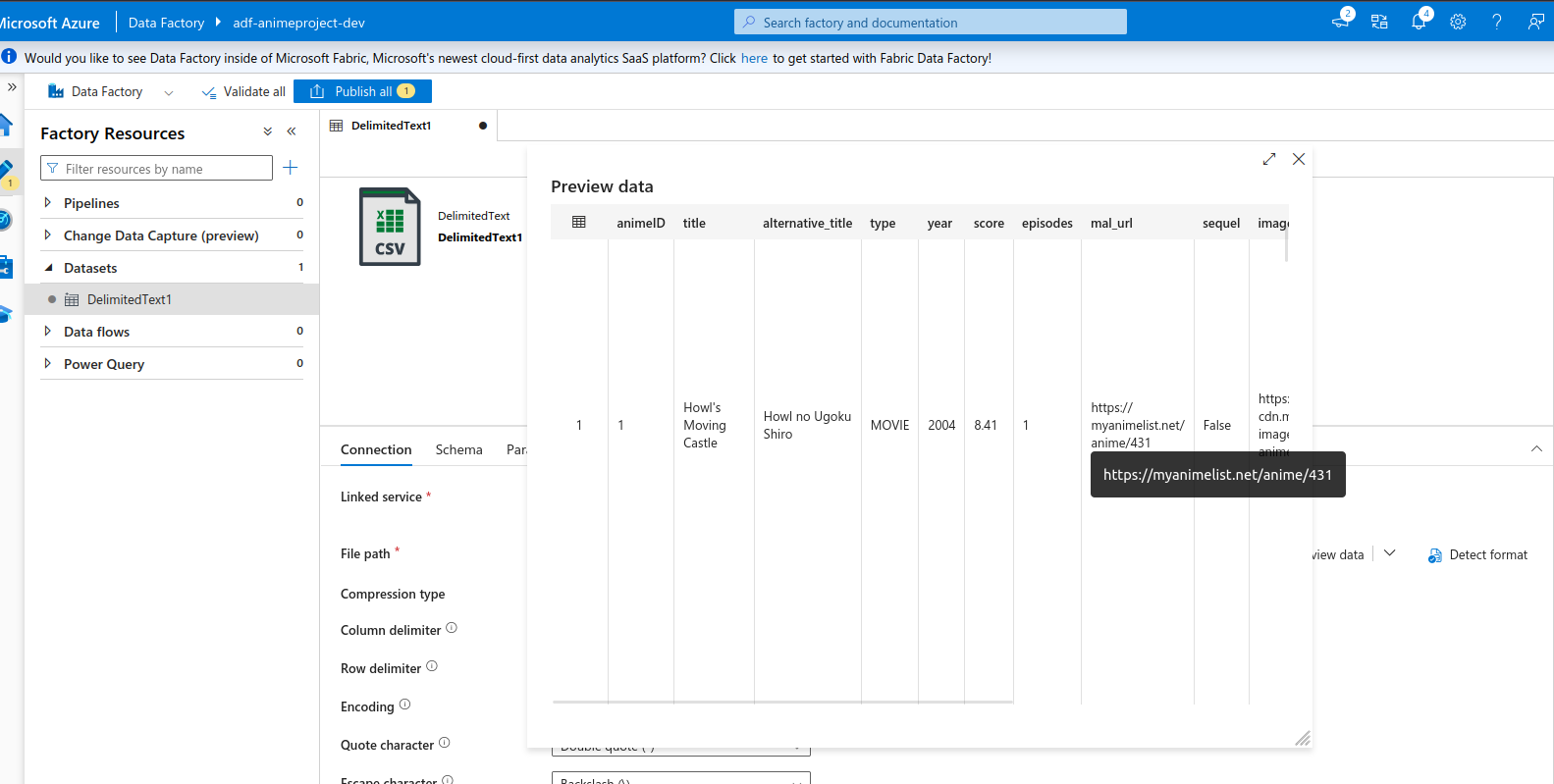
- En Azure Data Factory debe hacer conexión con los servicios de almacenamiento que se usarán para el ETL.
Conexión con los servicios de almacenamiento desde Azure Data Factory:
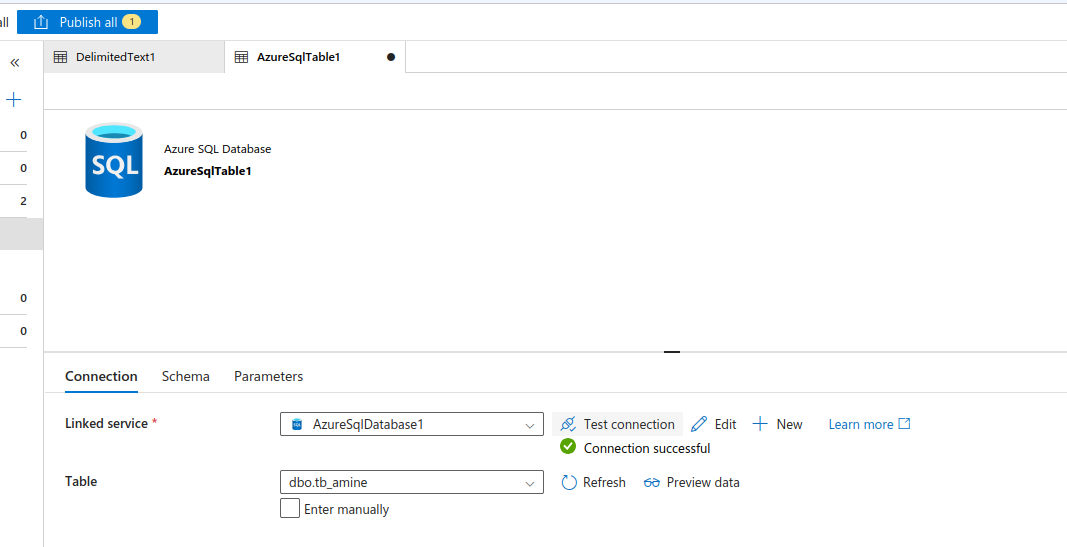
Creación del los Dataset relacionadas a los servicios de almacenamiento:
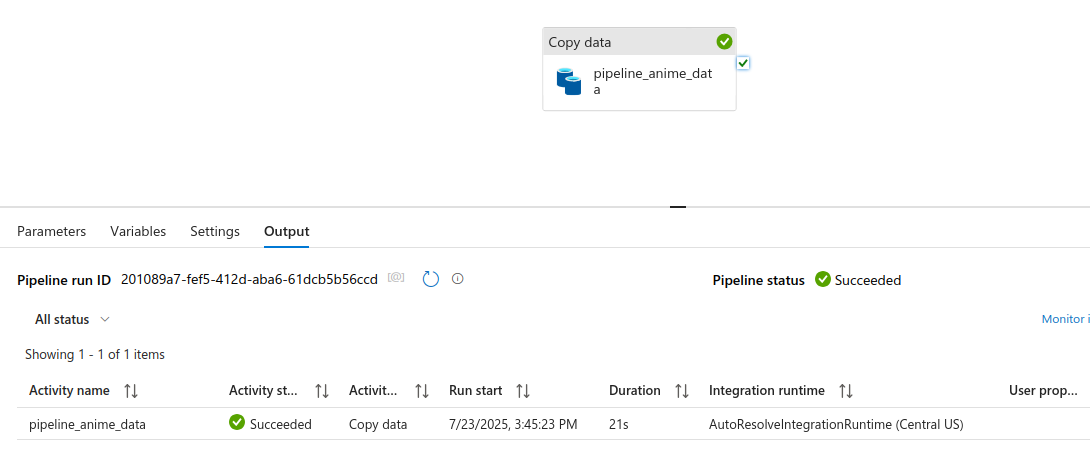
Pipeline completado:
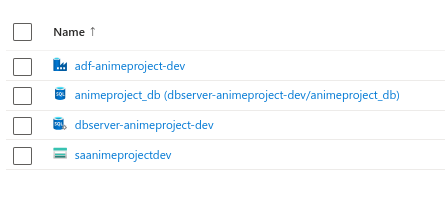
Servicios creados para el pipeline de datos:
Fase 2: Desarrollo de API y Autenticación
Tecnología
- Se ha usado FastAPI para la creación de la API REST
A continuación se muestran las librerías/dependencias utilizadas en el proyecto FastAPI:
python3 -m venv env-api
pip install fastapi
pip install uvicorn

pip install dotenv
pip install pyodbc

pip install pyrebase
pip install firebase-admin
pip install firebase
Autenticación y Autorización con Firebase
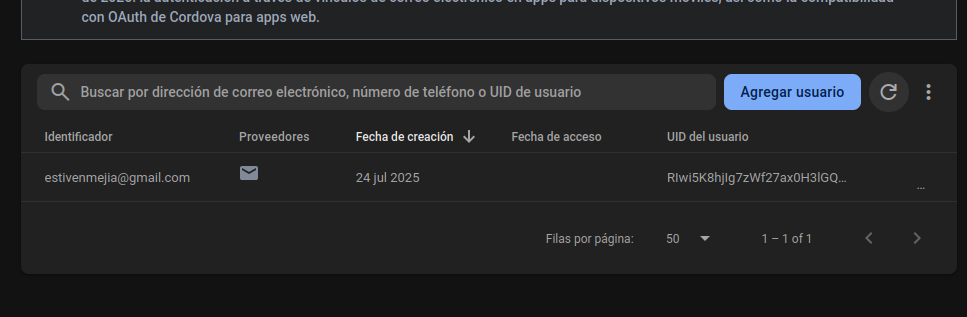
- Se ha implementado Firebase para la gestión de registro e inicio de sesión de los usuarios en la aplicación.
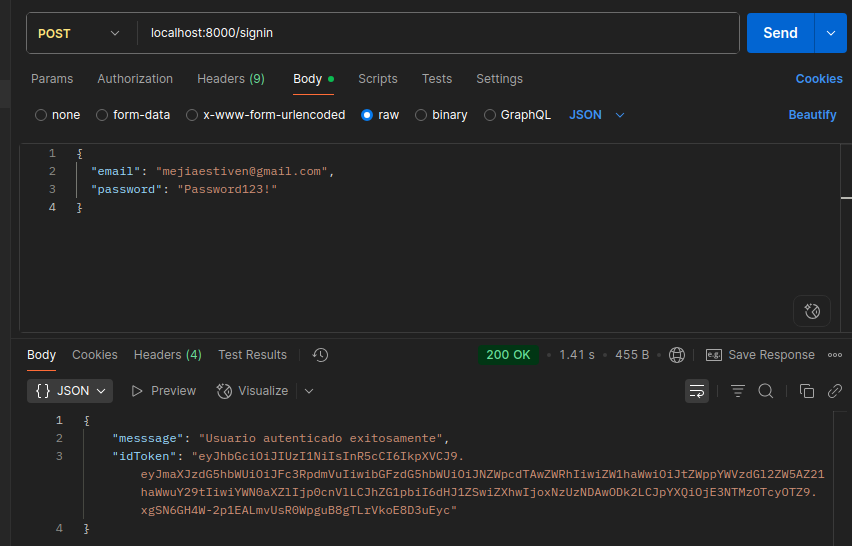
- Se ha implementado JWT con un tiempo de vida para autorizaciones y autenticaciones de los usuarios a ciertos Endpoint de la API.
Endpoint Signup
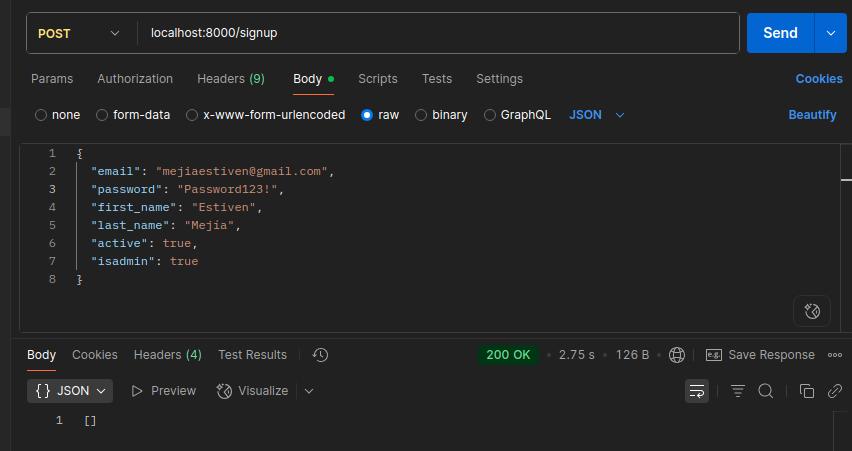
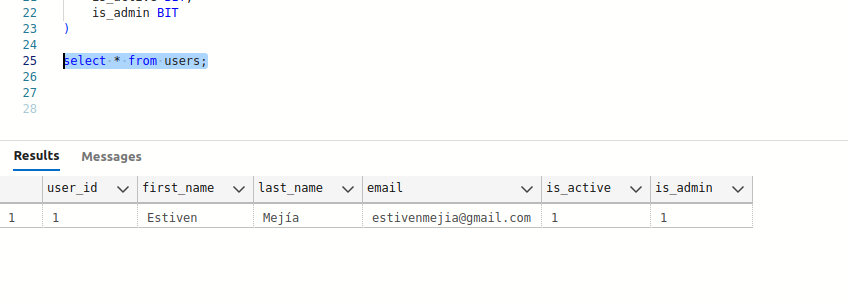
- Las pruebas en estas capturas de pantalla fueron hechas en ambiente de desarrollo.
Enviando datos de registro desde Postman:
Usuario registrado en la base de datos:
Usuario registrado en Firebase:
Endpoint Signin
- Las pruebas en estas capturas de pantalla fueron hechas en ambiente de desarrollo.
Respuesta del Login del usuario:
Endpoint para obtener toda la lista de datos
- Las pruebas en estas capturas de pantalla fueron hechas en ambiente de desarrollo.
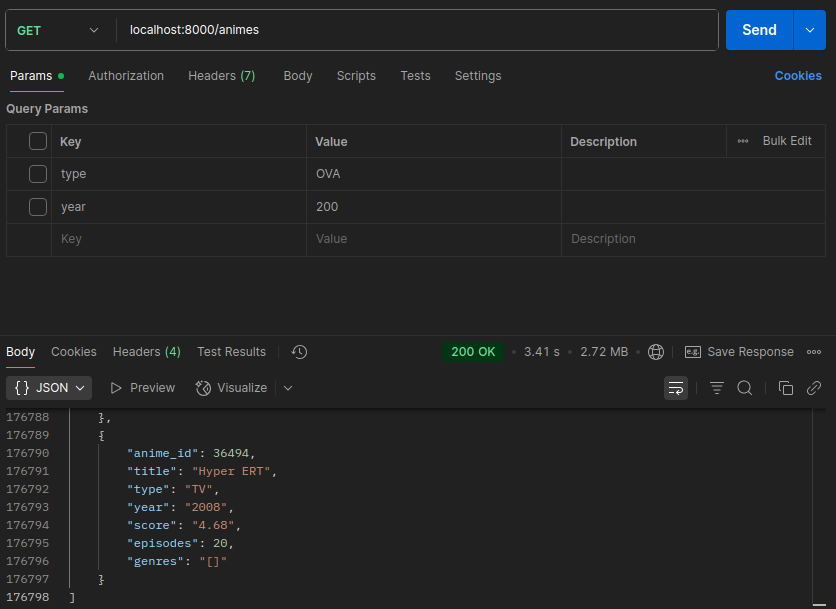
Tiempo de respuesta al traer toda la lista de animes:
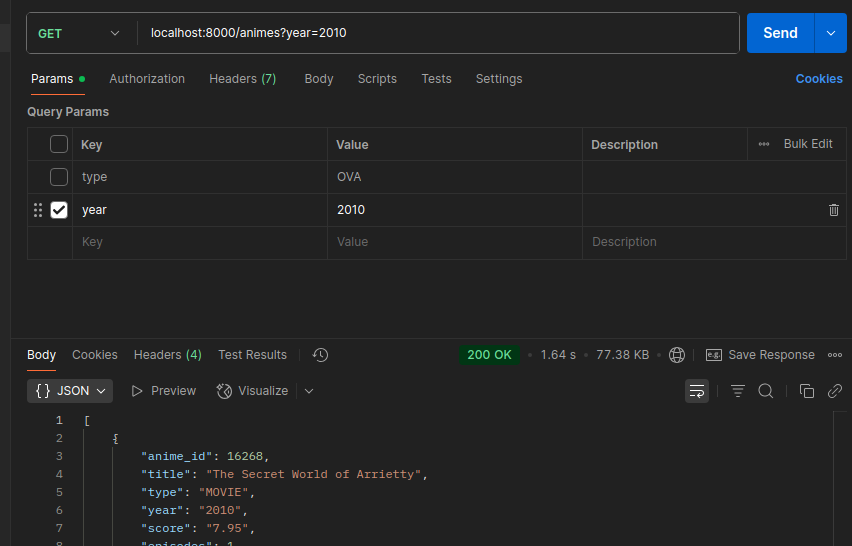
Endpoint de lista de animes con un filtro:
Fase 3: Monitoreo del Rendimiento
Configuración de Application Insights
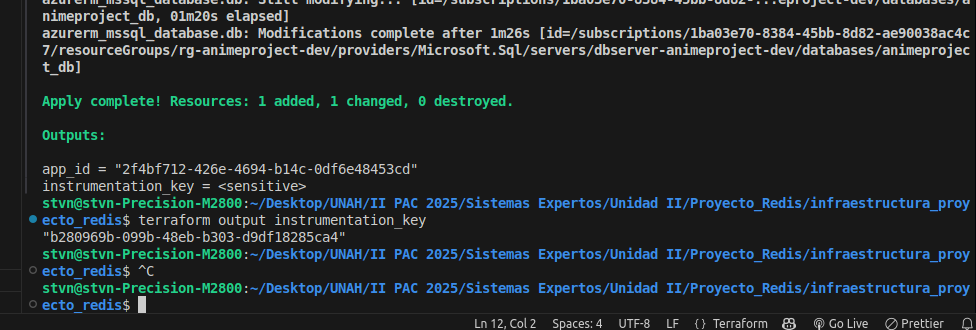
Creación del servicio Application Insights en el grupo de recursos:
Librerías/Dependencias necesarias para la herramienta de telemetría en la API:
pip install azure-monitor-opentelemetry
pip install opentelemetry-instrumentation-fastapi
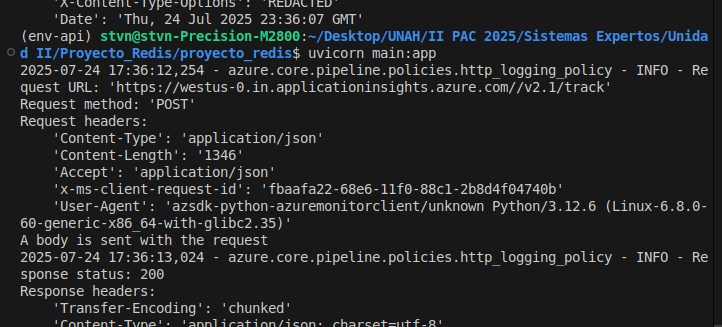
Logs generados por la herramienta Telemetry (demostración de implementación correcta):
Pruebas de Carga
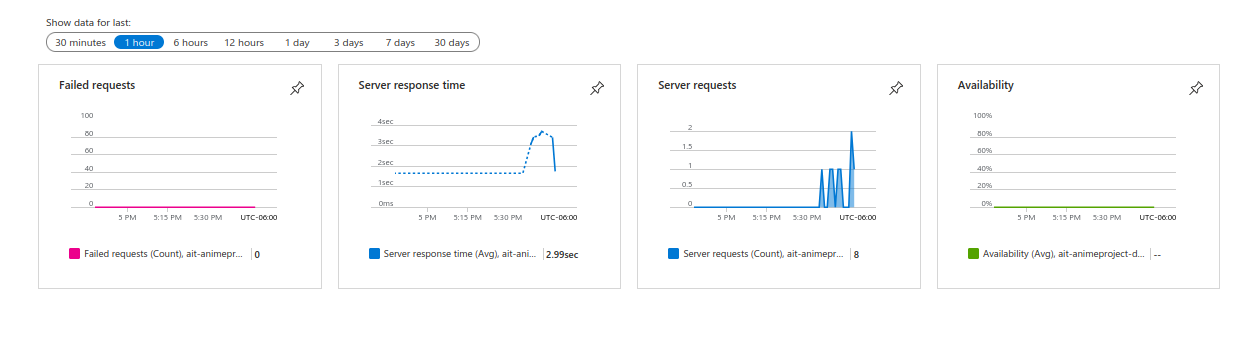
- Se han múltiples peticiones al Endpoint que lista todos los animes sin usar filtros.
- Estas capturas corresponden a pruebas de la aplicación en ambiente de desarrollo.
Gráficas de repsuesta del servidor, peticiones al servidor, fallos y disponibilidad:
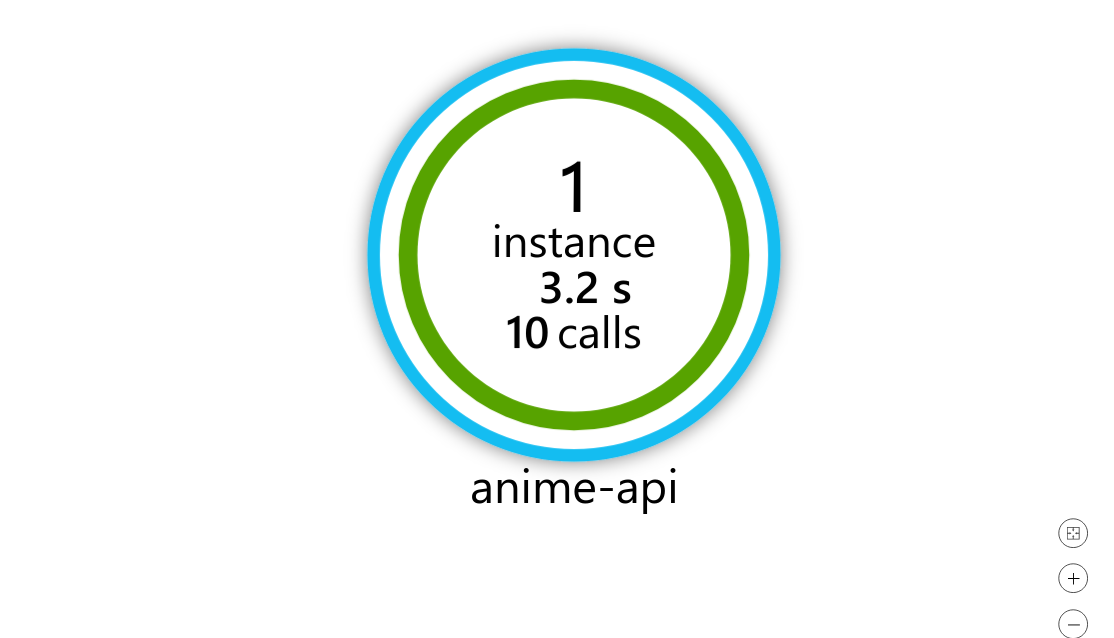
Tiempo promedio de respuesta de la aplicación:
Fase 4: Implementación de Caché con Redis
Integración con Redis
Librería utilizada para la implementación de Redis Caché en la API:
pip install redisPersistencia en Caché y Reto de las Llaves Dinámicas:
- Las siguientes capturas corresponden a pruebas en ambiente de desarrollo.
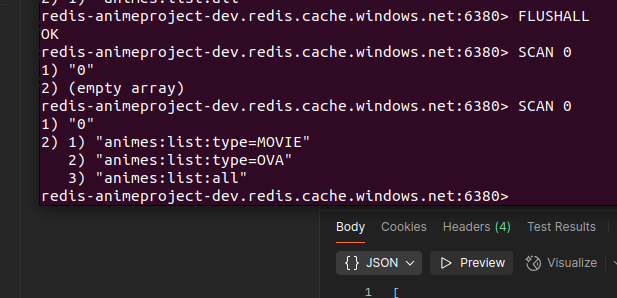
En las siguientes capturas se ha hecho una consulta y la cache debería tener data guardada.
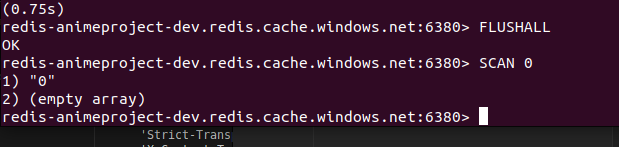
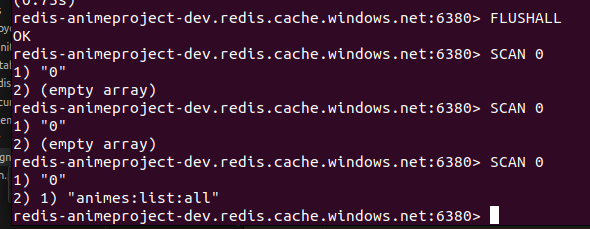
Verificando que la caché está limpia:
Haciendo una Query para almacenar data en la Caché (21.01 segundos):
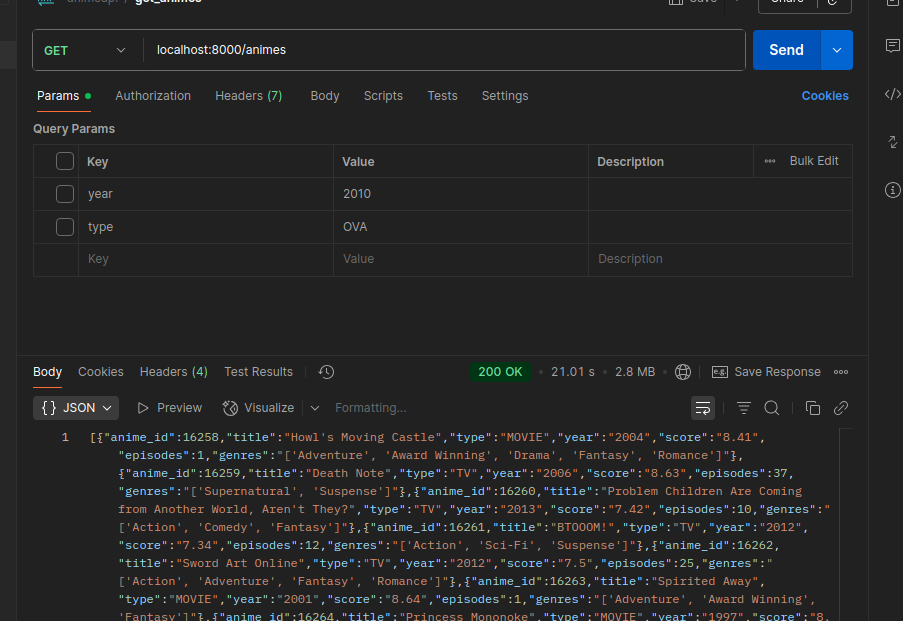
- En la prueba anterior se tarda un tiempo considerable por la lectura de caché, obtención de datos de la DB y la escritura en la caché.
Volviendo a consultar la data de la caché:
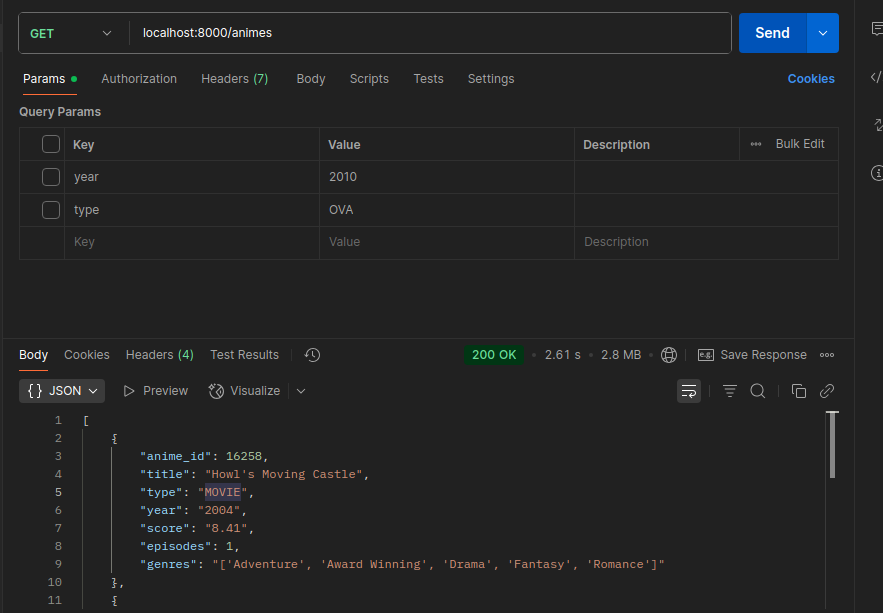
Haciendo nuevamente la Query, y esto debe buscar data en la caché y tardar menos tiempo:
2.61 segundos
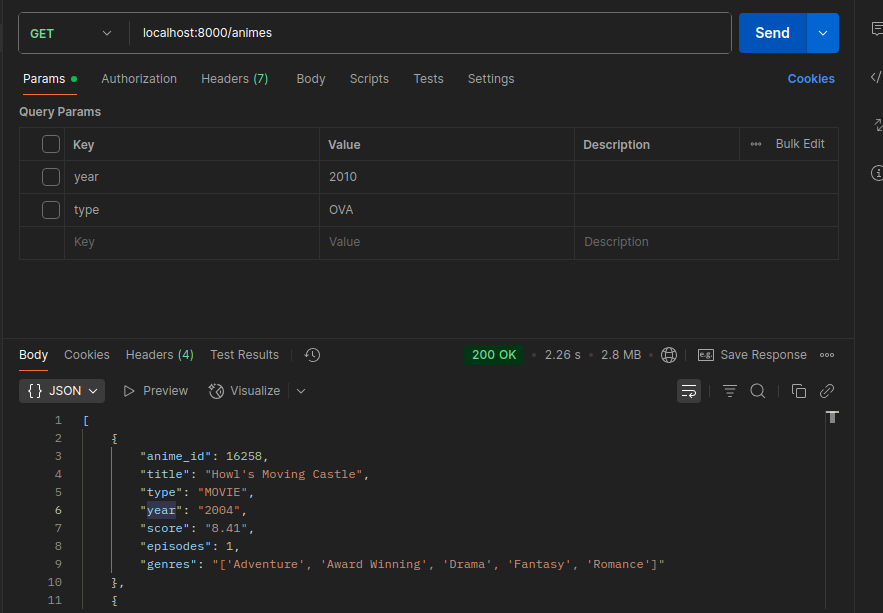
2.26 segundos:
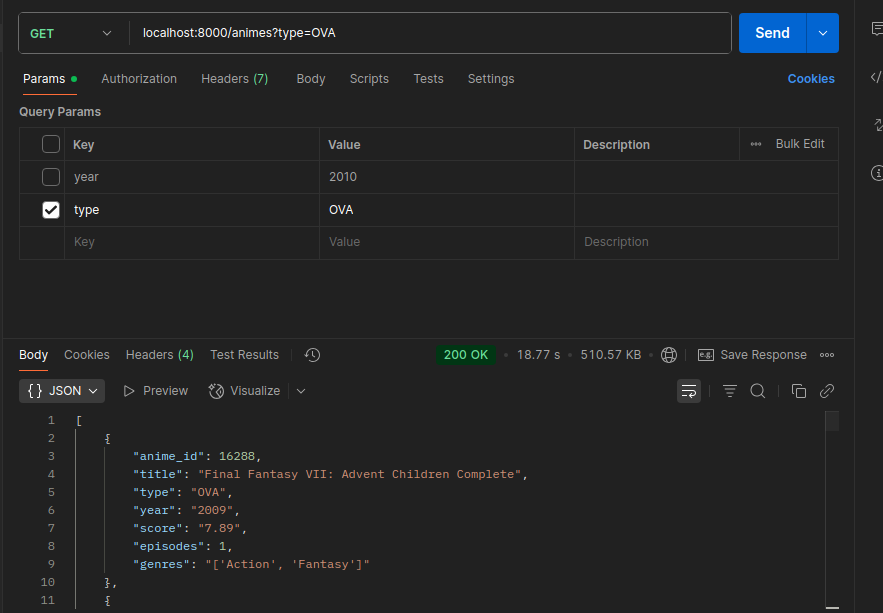
Haciendo un Query con filtro de type (18.77 segundos):
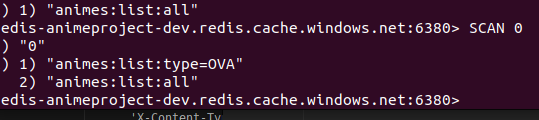
Consultando que la Key y la Data ya existe en la Cache:
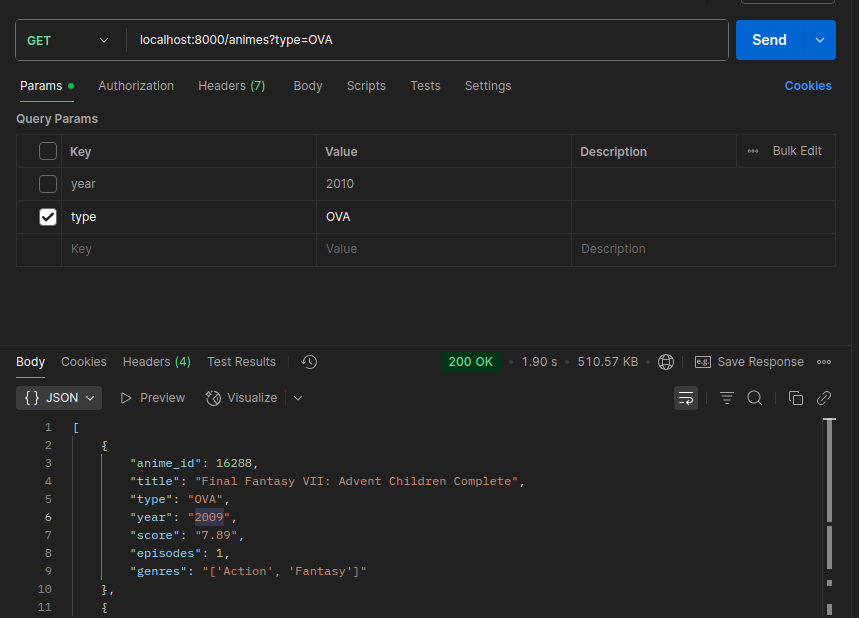
Volviento a hacer la consulta
1.90 segundos:
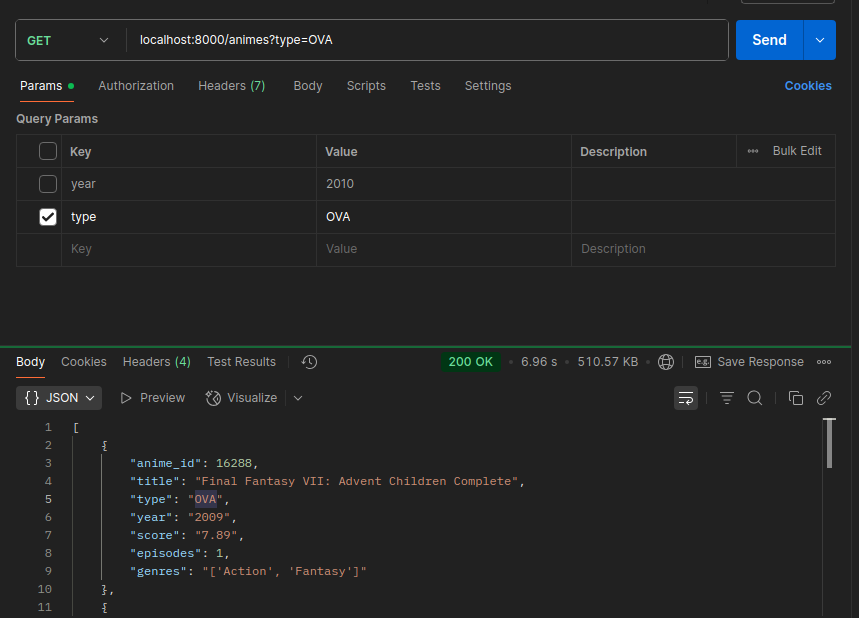
6.96 segundos:
Fase 5: Invalidación de Caché
Endpoint de Creación
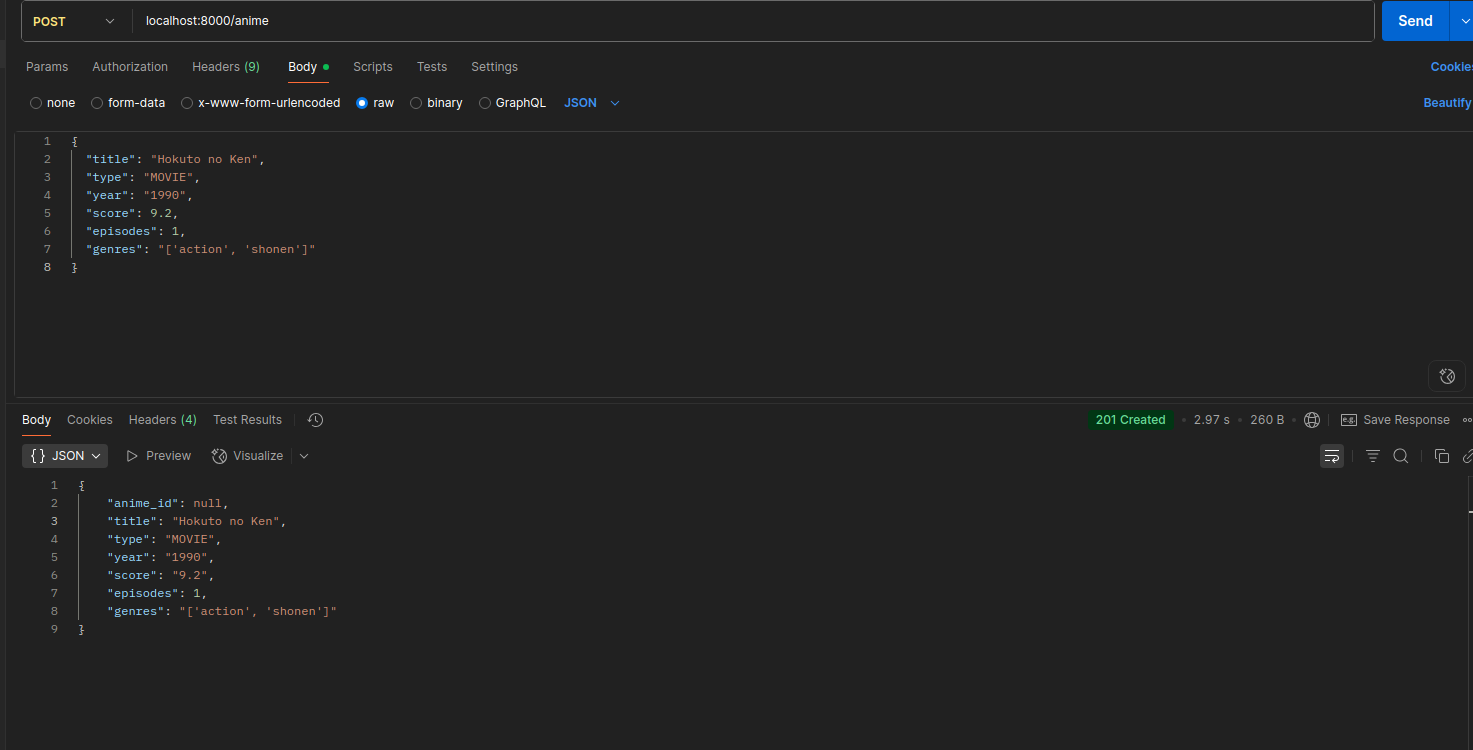
- Al crear un nuevo registro en la tabla de la base de datos, los Keys de la Caché Redis relacionados con la data insertada deben ser eliminados.
Creando un nuevo anime, insertando el Type:
En la caché deberián estar borrado la key de all

Insertando en la DB con el type guardado en la cache y volviendo a verificar en la cache:

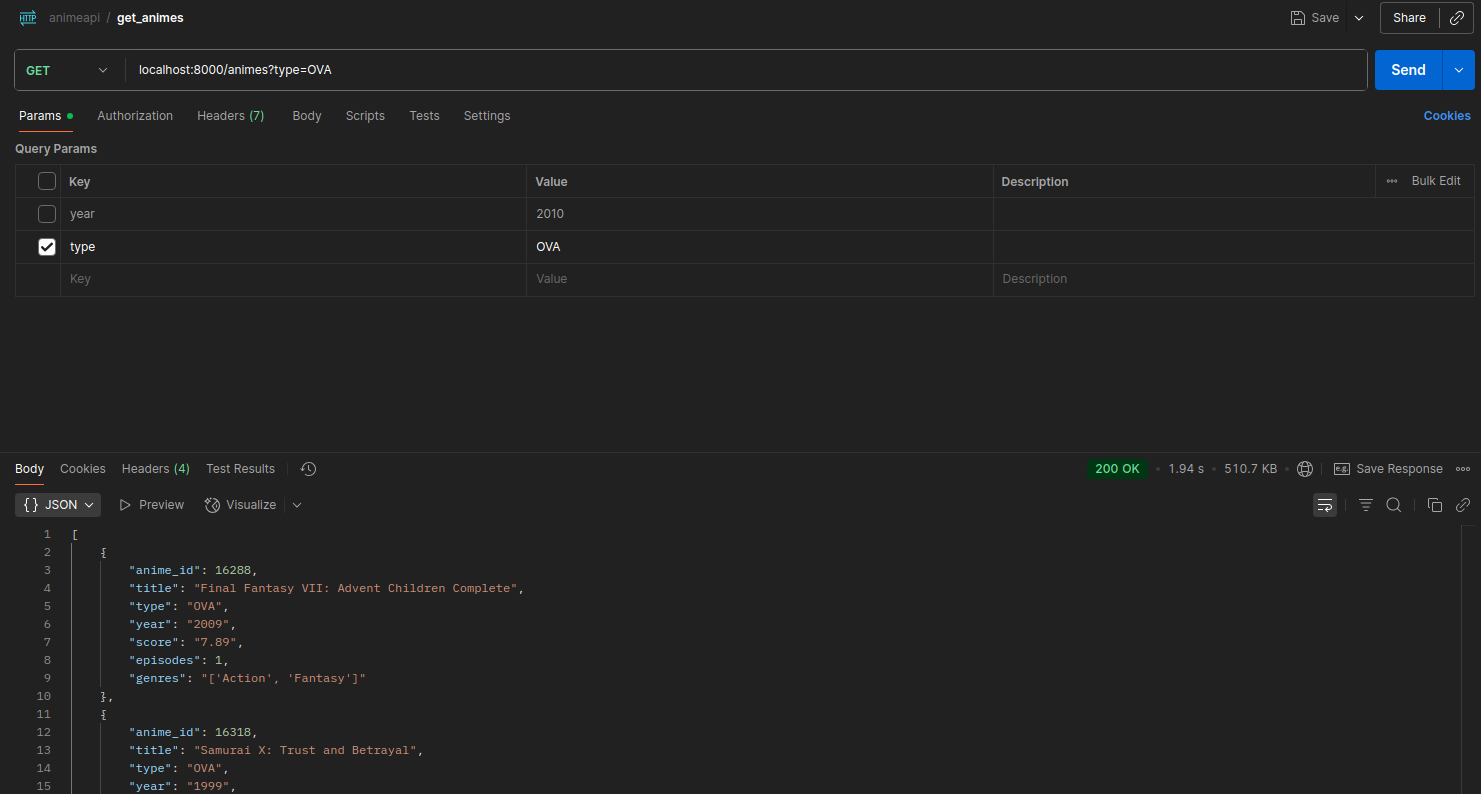
Vuelvo a hacer una consulta con el filtro type, se tarda 4.24 segundos porque ya no existe data en la cache, entonces hace la consulta y vuelve a escribir en la cache:
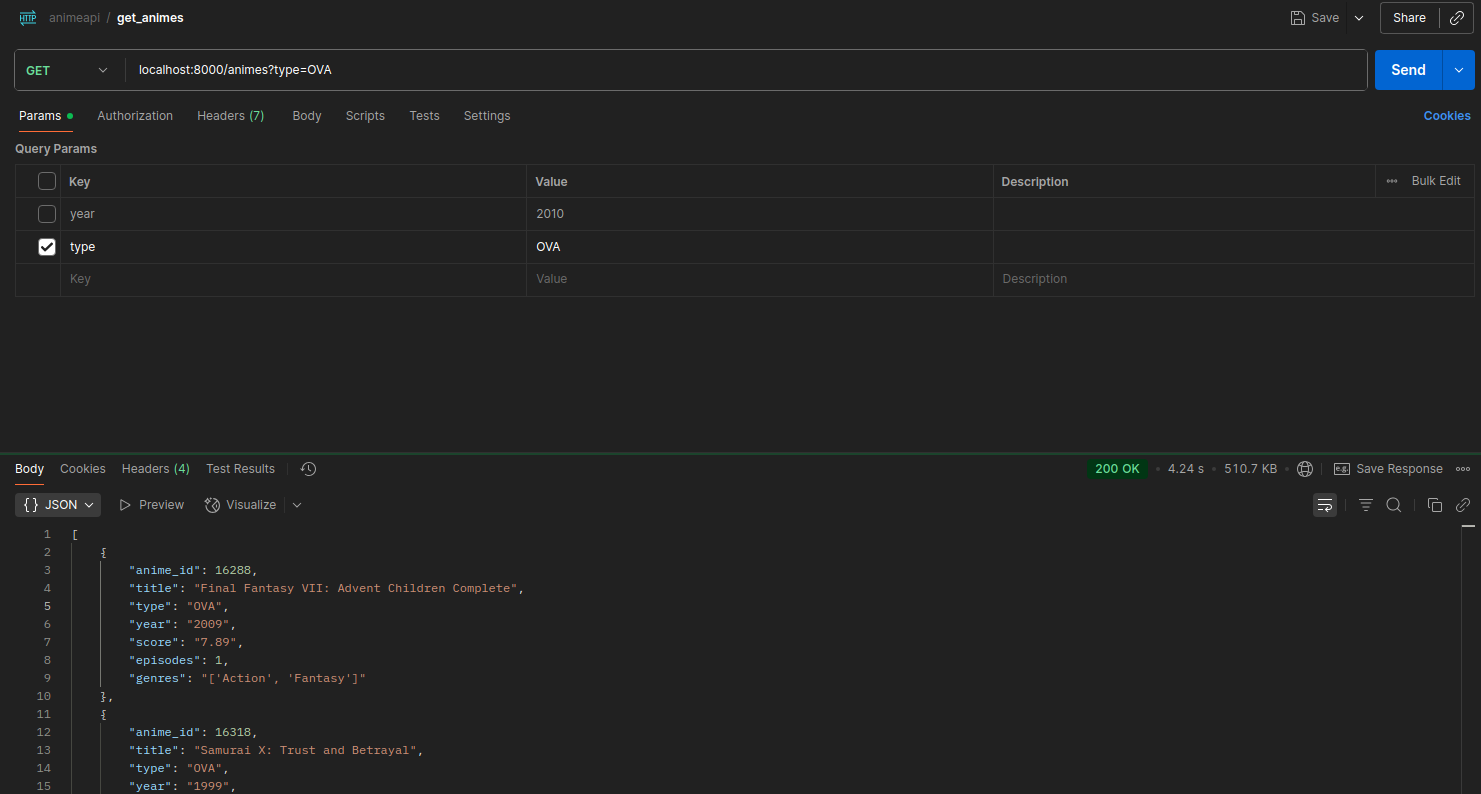
Obteniendo data de la cache:
Lógica de Invalidación
Intentando crear con un usuario no Admin:
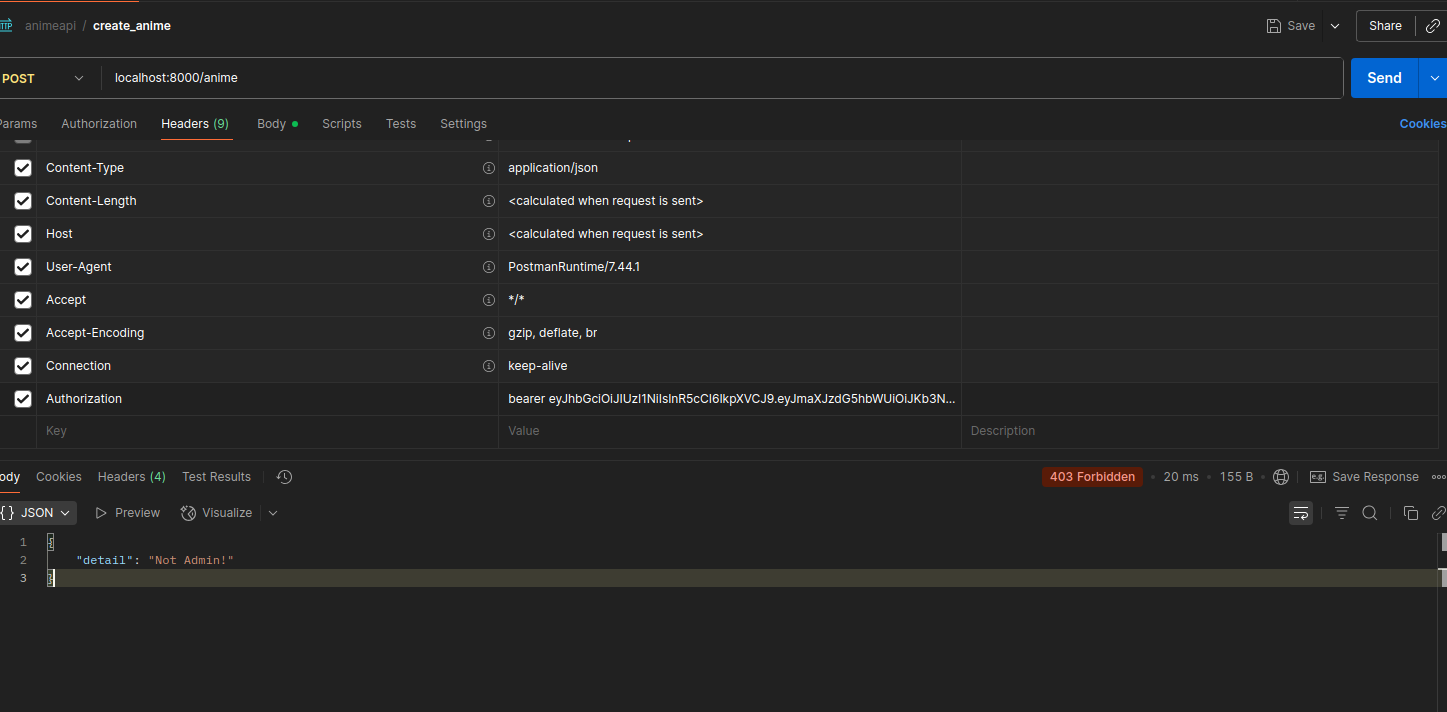
Verificación del Flujo
Verificando la caché:
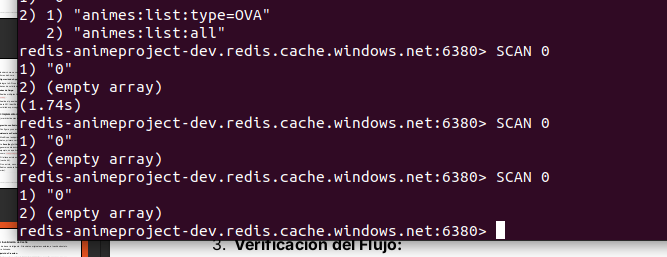
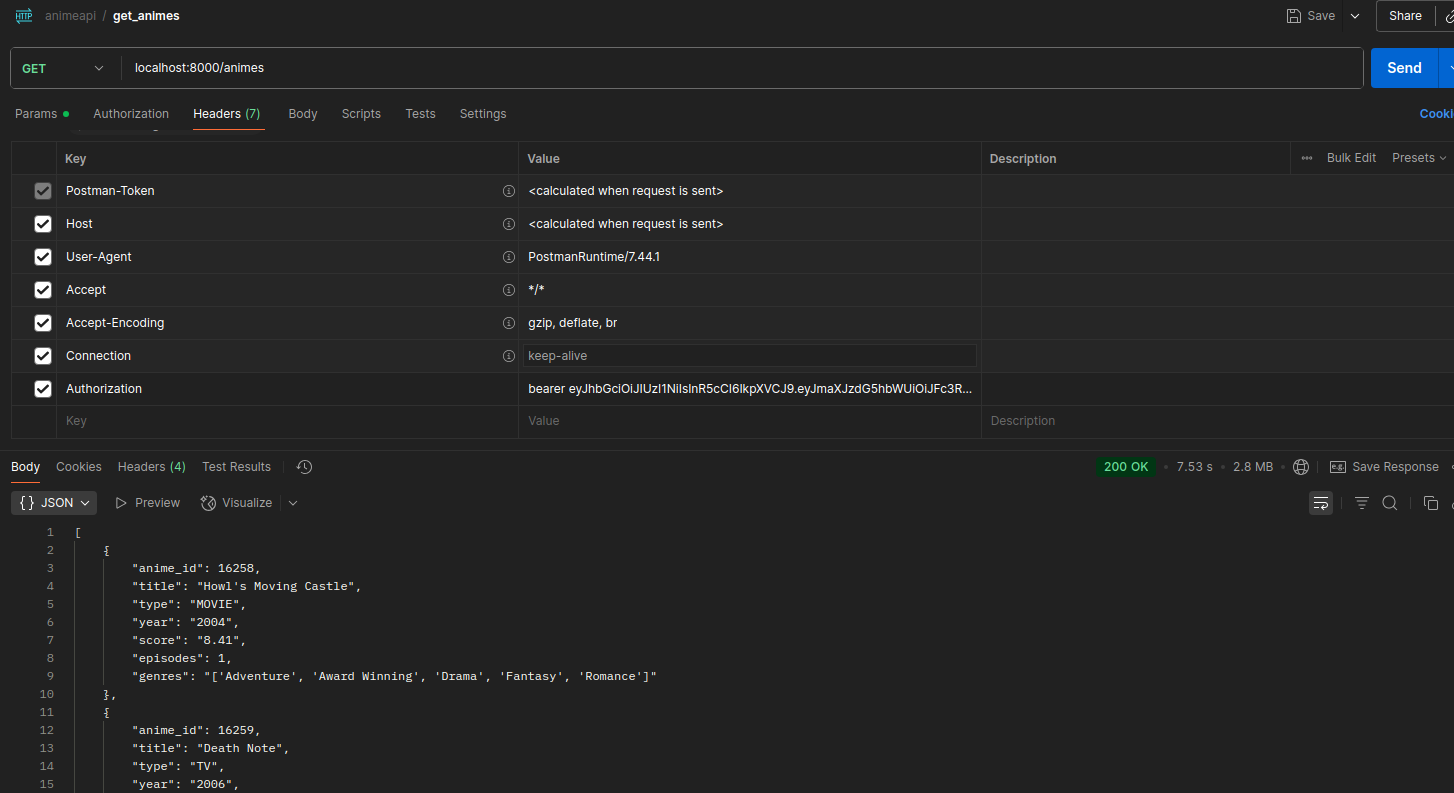
Realizando petición de todos los animes de la DB (7.53 segundos):
Verificando la cache:

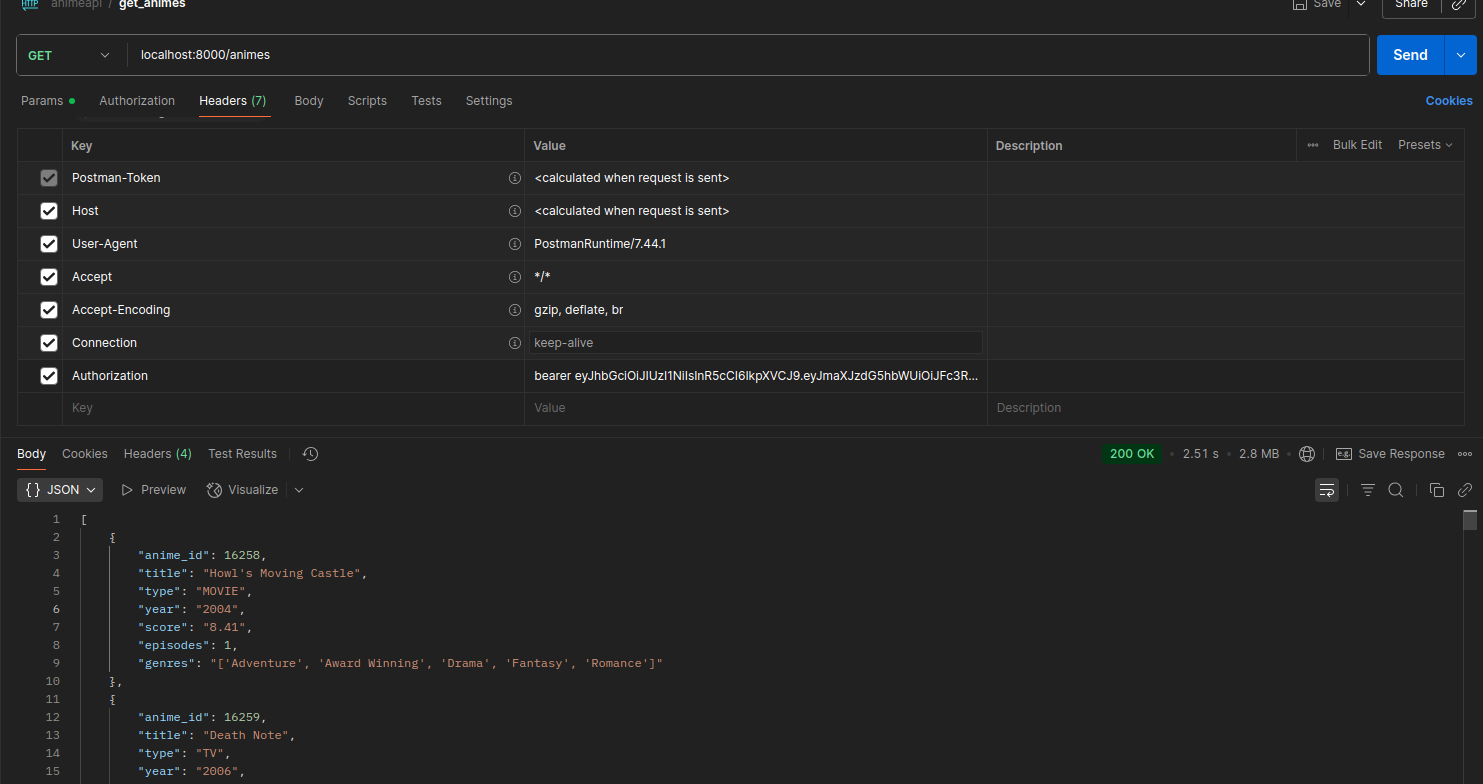
Obteniendo data de la cache (2.51 segundos):
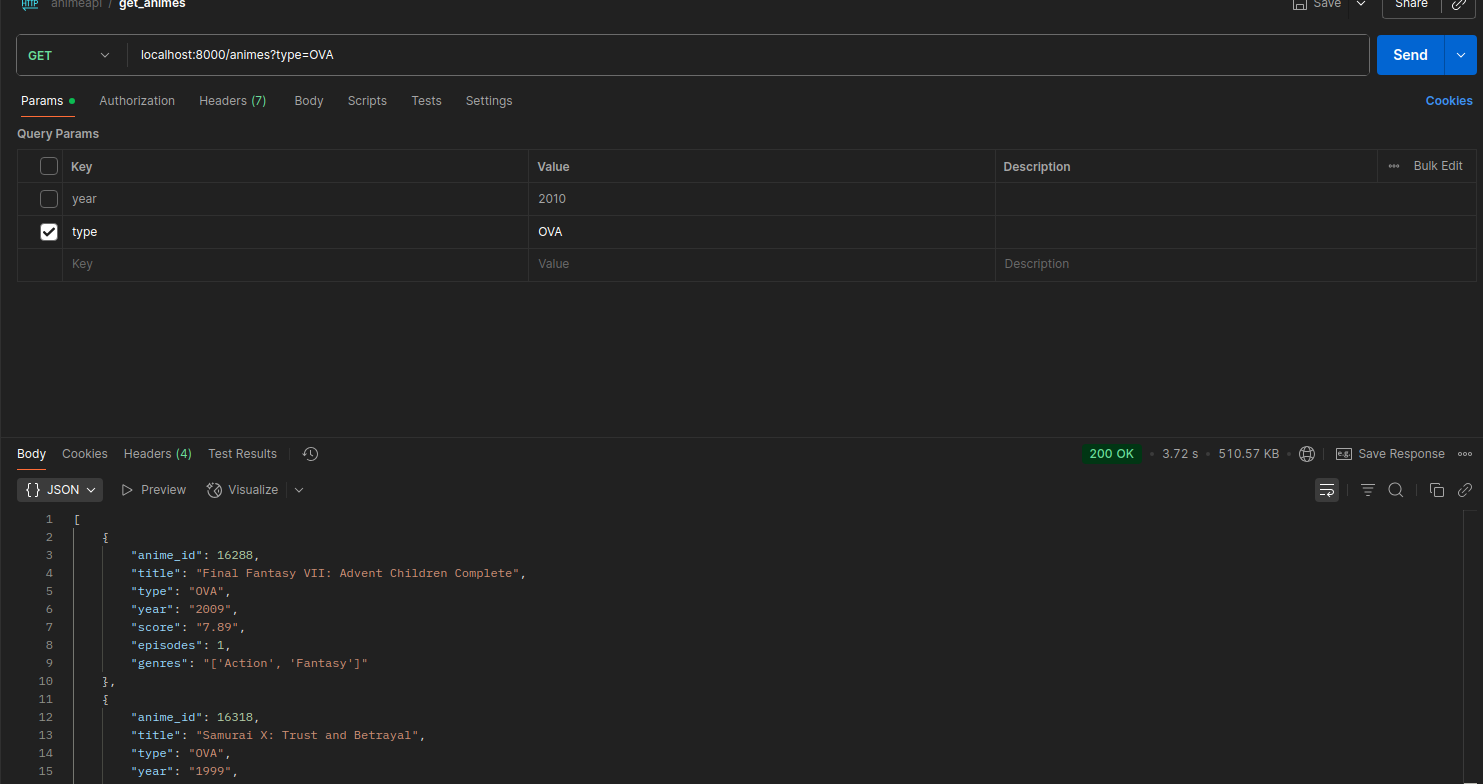
Obteniendo data con filtro de type (3.72 segundos):
Verificando inserción en la cache:

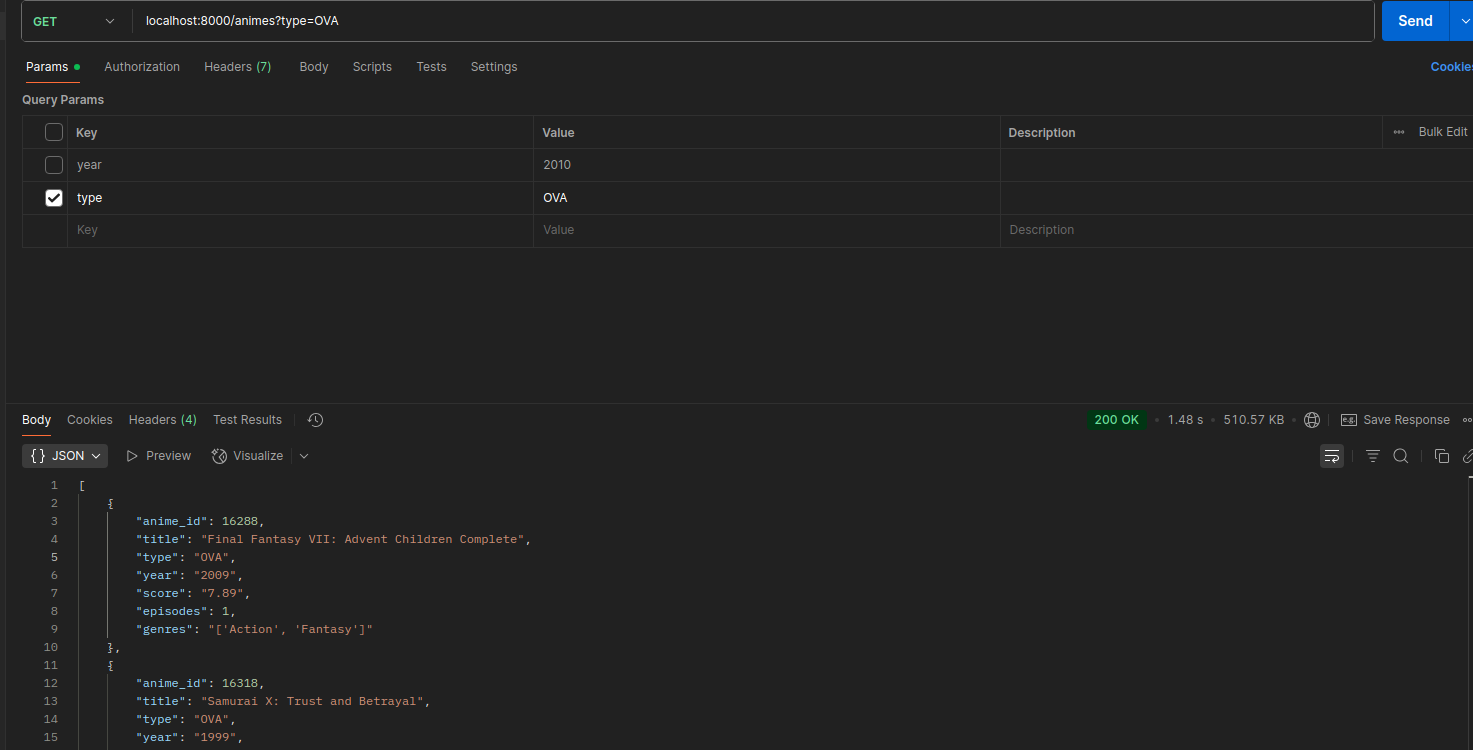
Obteniendo data de la caché (1.48 segundos):
Métricas de la API usando Application Insigths
Métricas con los tiempos de respuesta de la API:
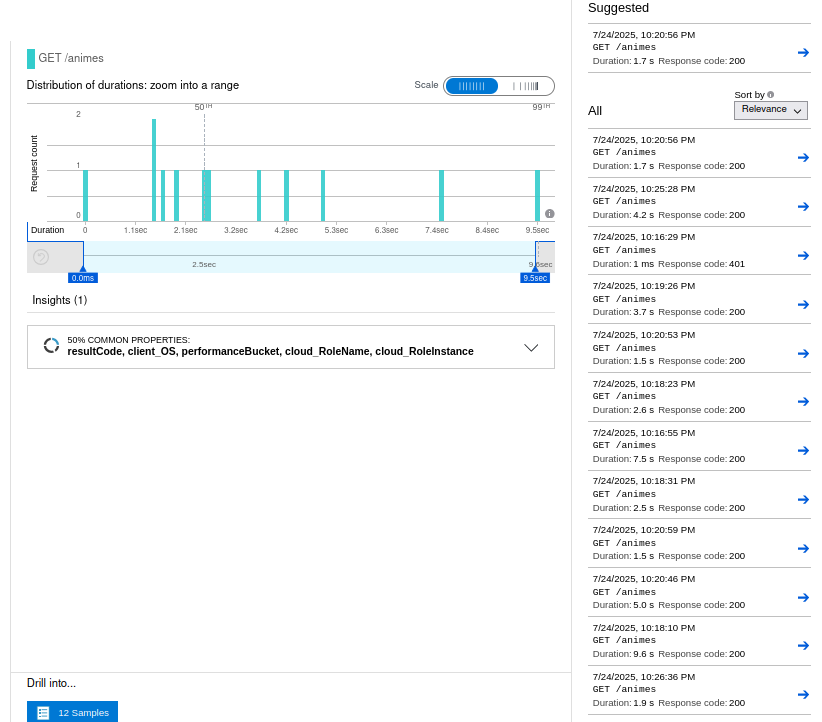
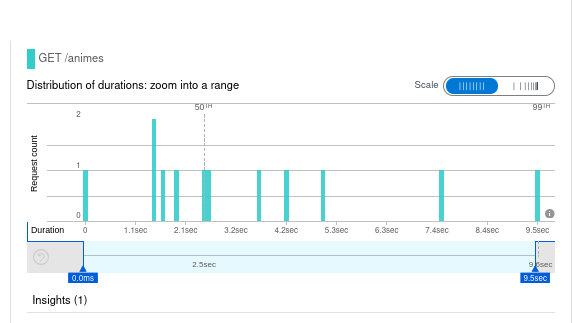
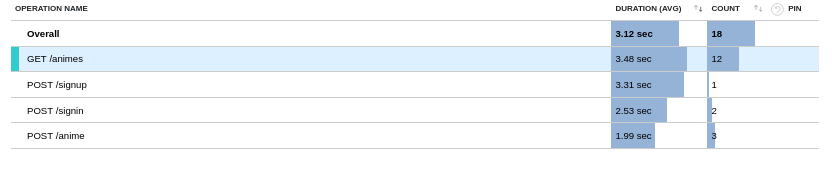
Sin la cache, los tiempos de respuesta estában en una media de 18 segundos:
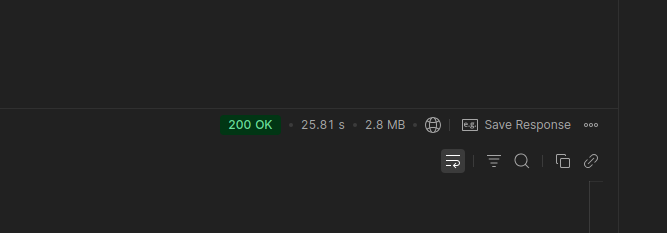
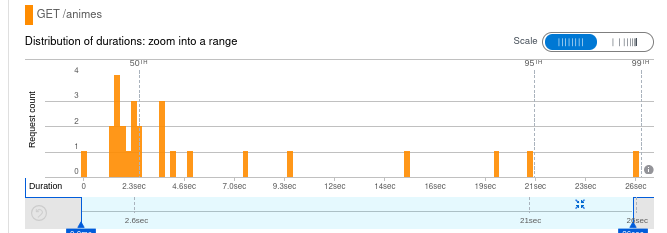
En este ejemplo leyó de la caché:
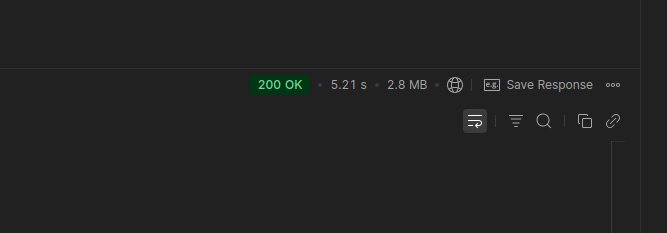
Fase 6: Despliegue en la Nube con Docker
Containerización
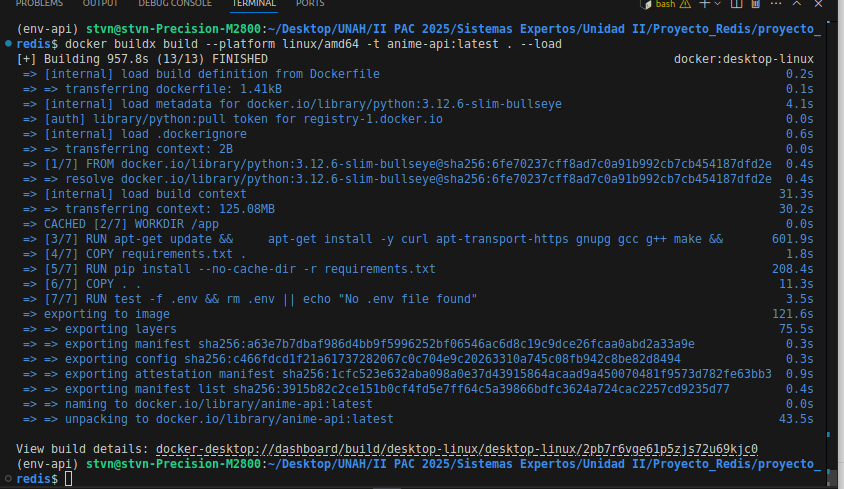
Creación de imagen Docker:

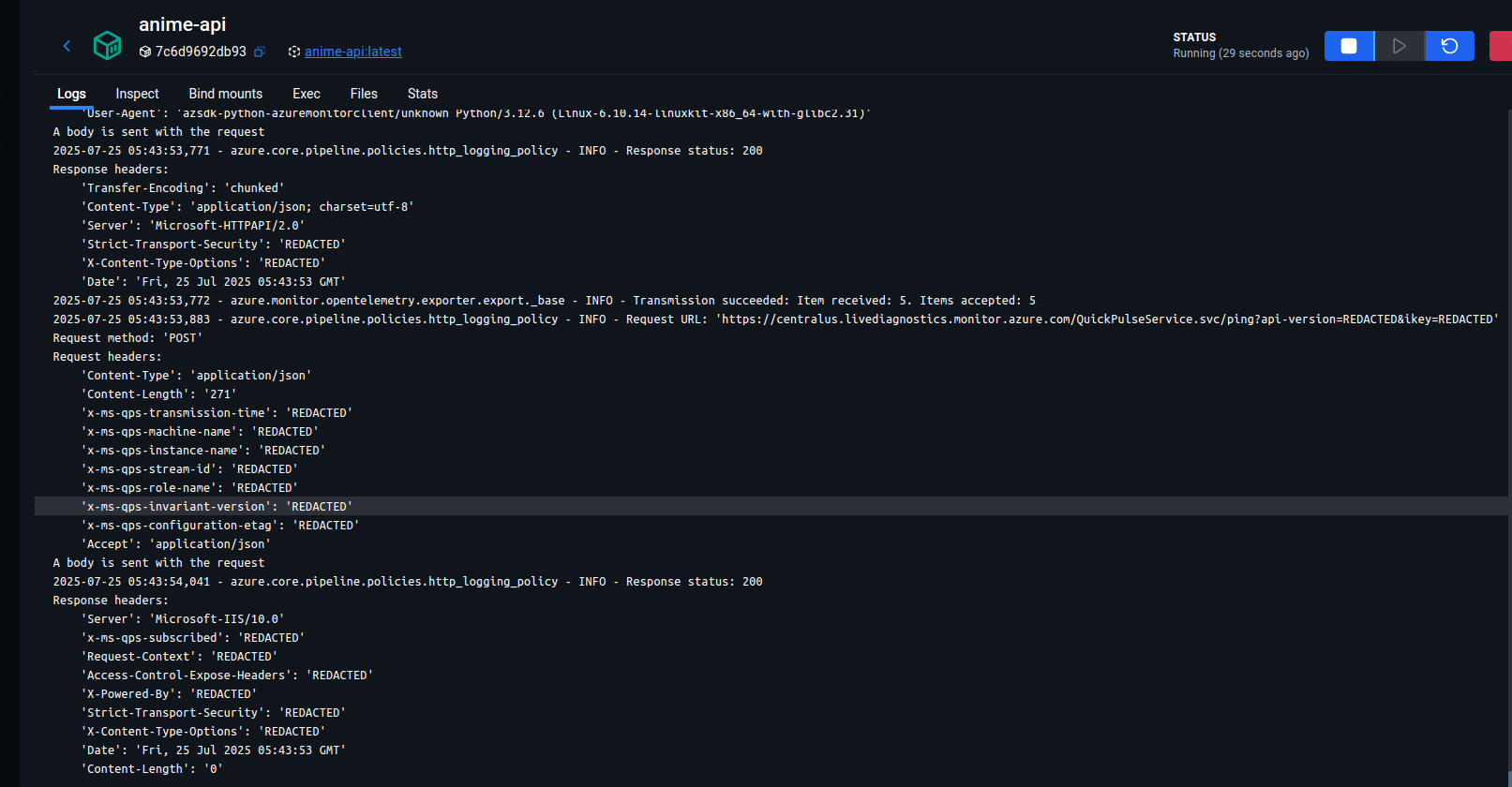
Contenedor del proyecto en ejecución:
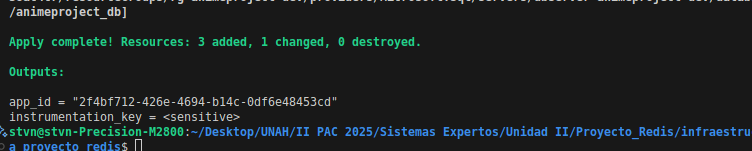
Release en la Nube
Creación del ACR y Webapp de Azure:
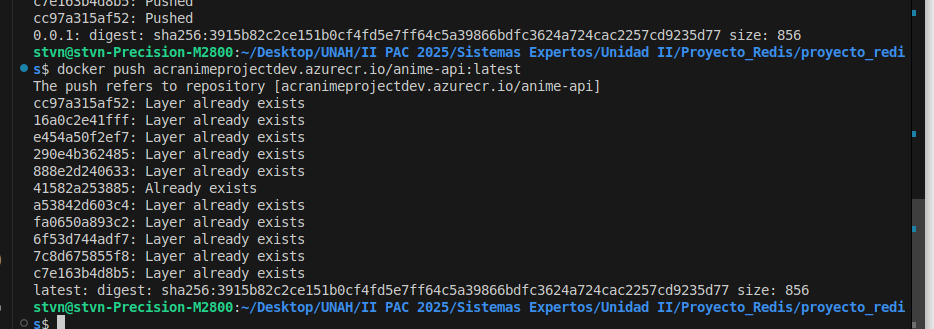
Publicando Imagen en el ACR:
az login
az acr login --name {acranimeprojectdev}
docker tag anime-api:latest acranimeprojectdev.azurecr.io/api-anime:0.0.1


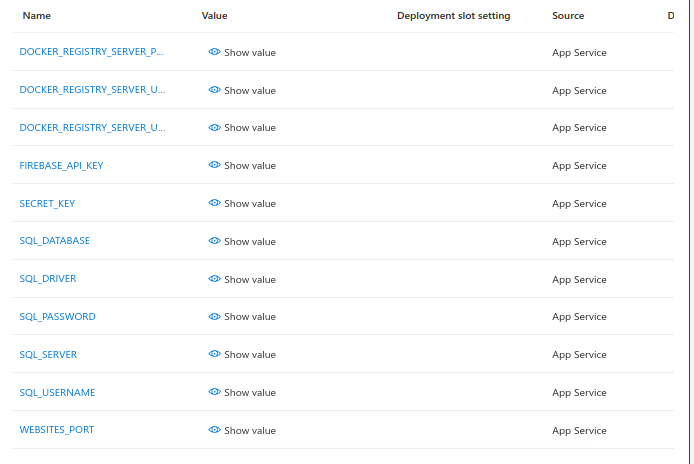
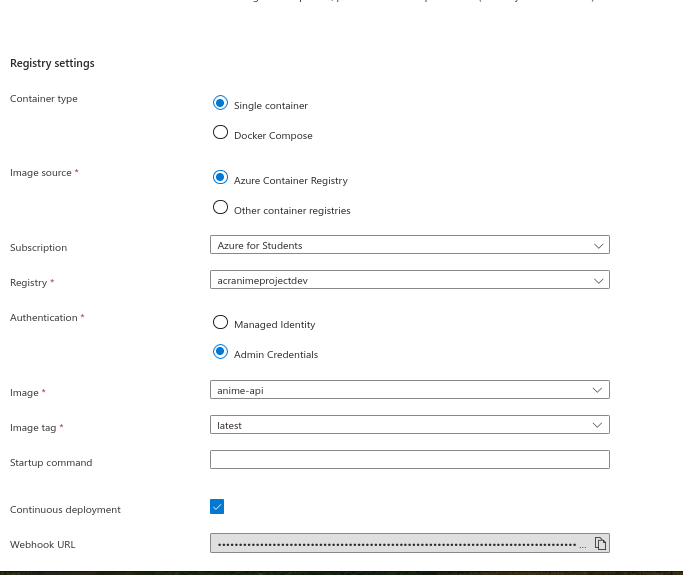
Vinculando ACR con la Webapp
Pruebas en Producción
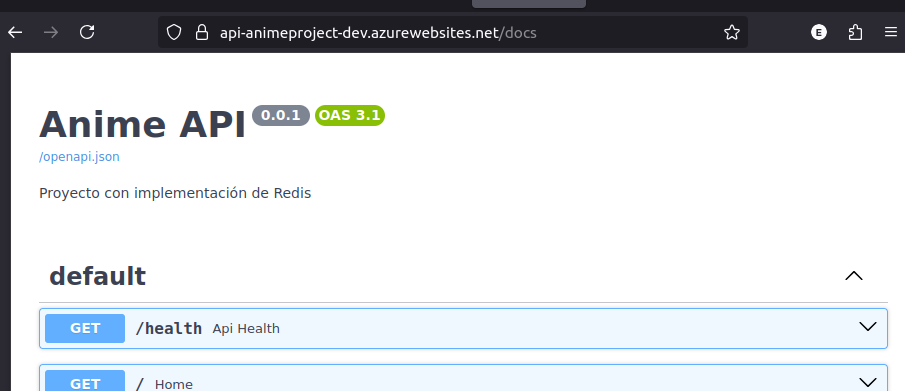
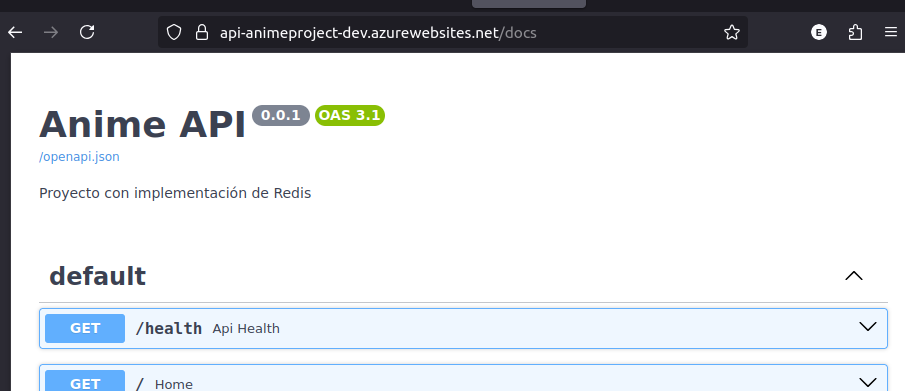
Probando REDIS en el proyecto desplegado
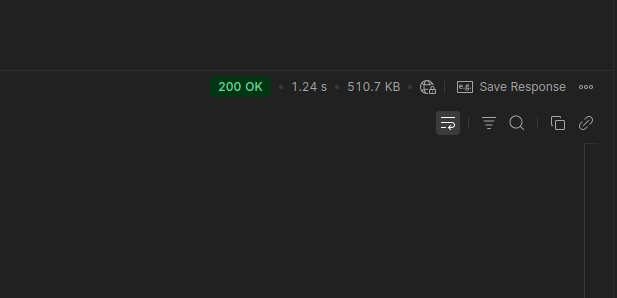
1.24 segundos:
878 milisegundos
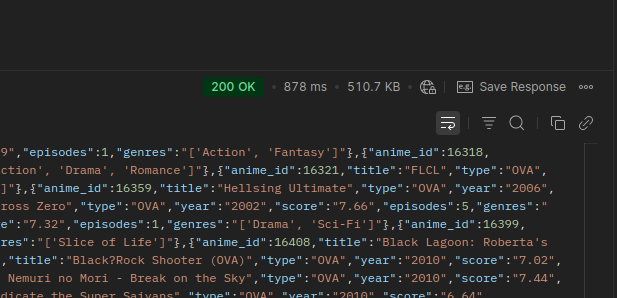
Guardando información en Redis desde el proyecto Desplegado
Overview
A personal end-to-end backend project: migrate a dataset of 20,238 records into Azure SQL with an ETL pipeline, expose it through a secure FastAPI REST API, measure its performance with telemetry and speed it up with a Redis cache that invalidates automatically. It ends up deployed as a container on Azure.
Key achievements
- ETL pipeline with Azure Data Factory from a CSV into Azure SQL Database (20,238 records, 6 selected columns).
- Authentication and authorization with Firebase and JWT with a limited lifetime; record creation is restricted to admin users.
- Redis cache with automatic invalidation: without the cache, responses averaged about 18 seconds; with data in cache, queries dropped to between 1.5 and 2.6 seconds in development, and to 1.24 s and 878 ms in the Azure deployment.
- Telemetry with Application Insights (OpenTelemetry) to measure response times, requests, failures and availability.
- Containerization with Docker, image published to Azure Container Registry and run on an Azure Web App.
Stack
Azure (Data Factory, SQL Database, Cache for Redis, Container Registry, App Service, Application Insights), Terraform, FastAPI, Python, Redis, Firebase, Docker.
Building a Data Pipeline and API with Smart Caching
Project Goal
Build a complete backend solution that demonstrates the ability to migrate data at scale, expose it through a secure and optimized API, and deploy it in a production cloud environment. The project culminates in a monitoring system and a cache strategy with automatic invalidation.
Phase 1: Data Preparation and Migration
Dataset Selection
- A Kaggle dataset about anime was chosen, with exactly 20,238 records.
- The dataset has 12 columns; 6 columns with the most relevant information were selected: title, type, year, score, episodes, genres.
Data Migration with Azure Data Factory
- Azure Data Factory was used as the orchestrator for an ETL process that extracts columns from a .csv into an Azure SQL database.
- Azure Data Factory must be connected to the storage services used by the ETL.
Connection to the storage services from Azure Data Factory:
Creation of the datasets tied to the storage services:
Completed pipeline:
Services created for the data pipeline:
Phase 2: API Development and Authentication
Technology
- FastAPI was used to build the REST API.
The libraries/dependencies used in the FastAPI project are shown below:
python3 -m venv env-api
pip install fastapi
pip install uvicorn

pip install dotenv
pip install pyodbc

pip install pyrebase
pip install firebase-admin
pip install firebase
Authentication and Authorization with Firebase
- Firebase was implemented to manage user sign-up and sign-in in the application.
- JWT with a limited lifetime was implemented for user authentication and authorization on certain API endpoints.
Signup Endpoint
- The tests in these screenshots were run in a development environment.
Sending sign-up data from Postman:
User registered in the database:
User registered in Firebase:
Signin Endpoint
- The tests in these screenshots were run in a development environment.
User login response:
Endpoint to Get the Full Data List
- The tests in these screenshots were run in a development environment.
Response time when fetching the full anime list:
Anime list endpoint with a filter:
Phase 3: Performance Monitoring
Application Insights Setup
Creation of the Application Insights service in the resource group:
Libraries/dependencies required for the telemetry tool in the API:
pip install azure-monitor-opentelemetry
pip install opentelemetry-instrumentation-fastapi
Logs generated by the telemetry tool (demonstrating a correct implementation):
Load Tests
- Multiple requests were sent to the endpoint that lists all animes without filters.
- These screenshots correspond to tests of the application in a development environment.
Charts of server response, requests, failures and availability:
Average response time of the application:
Phase 4: Redis Cache Implementation
Redis Integration
Library used to implement the Redis cache in the API:
pip install redisCache Persistence and the Dynamic Keys Challenge:
- The following screenshots correspond to tests in a development environment.
In the following screenshots a query is made and the cache should hold data.
Verifying that the cache is clean:
Running a query to store data in the cache (21.01 seconds):
- The previous test takes a considerable time because of the cache read, fetching data from the DB and writing to the cache.
Checking the cached data again:
Running the query again, which should look for data in the cache and take less time:
2.61 seconds
2.26 seconds:
Running a query with a type filter (18.77 seconds):
Checking that the key and its data now exist in the cache:
Running the query again
1.90 seconds:
6.96 seconds:
Phase 5: Cache Invalidation
Creation Endpoint
- When a new record is created in the database table, the Redis cache keys related to the inserted data must be deleted.
Creating a new anime, inserting the Type:
The “all” key should now be deleted from the cache:
Inserting into the DB with the type stored in the cache and checking the cache again:
Running the query with the type filter again takes 4.24 seconds because there is no data in the cache anymore, so it queries the DB and writes to the cache again:
Getting data from the cache:
Invalidation Logic
Trying to create a record with a non-admin user:
Flow Verification
Checking the cache:
Requesting all animes from the DB (7.53 seconds):
Checking the cache:
Getting data from the cache (2.51 seconds):
Getting data with a type filter (3.72 seconds):
Checking the insertion in the cache:
Getting data from the cache (1.48 seconds):
API Metrics with Application Insights
Metrics with the API response times:
Without the cache, response times averaged 18 seconds:
In this example it read from the cache:
Phase 6: Cloud Deployment with Docker
Containerization
Creating the Docker image:
Project container running:
Cloud Release
Creating the ACR and the Azure Web App:
Publishing the image to the ACR:
az login
az acr login --name {acranimeprojectdev}
docker tag anime-api:latest acranimeprojectdev.azurecr.io/api-anime:0.0.1
Linking the ACR with the Web App
Production Tests
Testing REDIS in the deployed project
1.24 seconds:
878 milliseconds
Saving data in Redis from the deployed project
Tecnologías utilizadas:Technologies used:
- Azure Cloud
- Terraform
- Docker
- FastAPI
- Redis
- ETL
- Firebase
- Telemétrica